Project Management That Works for Developers
The project management tool we wanted to use ourselves — and we use it every day to build our own products. Local-first, and keeps working through brief connection drops.
cp .env.example .env, set DB_PASSWORD and JWT_SECRET_KEY, then docker compose up → localhost:8151 (first run downloads images: a few minutes). Data stays on your machine.
For developers with Docker experience. No desktop app download.
View source on GitHubRun SENN on Your Machine
Clone the repo, start Docker, and create your first ticket — no SaaS account required.
Public Beta — SENN is usable, but bugs and missing features remain, and behavior may change between updates. Back up your data before updating: a database upgraded to a newer version cannot be used with an older version again. Older releases stay available as tags (e.g. v0.1.1, the last release before the access-control redesign).
Detailed setup guide with screenshots →
Prerequisites
- Docker & Docker Compose (e.g. Docker Desktop)
- Port 8151 free on localhost
- Git and bash (Terminal on macOS/Linux; WSL2 on Windows)
-
1
Clone, configure, and start
Clone the repository, copy
.env.exampleto.env, and fill inDB_PASSWORDandJWT_SECRET_KEY— thesedline below generates random values for you (macOS / Linux / WSL). Then start with Docker Compose. It stops right away with a clear message if either value is empty.git clone https://github.com/macplanning-labs/senn.git cd senn cp .env.example .env sed -i.bak "s|^DB_PASSWORD=.*|DB_PASSWORD=$(openssl rand -hex 24)|; s|^JWT_SECRET_KEY=.*|JWT_SECRET_KEY=$(openssl rand -base64 48 | tr -d '\n')|" .env && rm .env.bak docker compose upThe first run takes a few minutes to download the pre-built images (depending on your connection). Keep this terminal open — closing it stops SENN. To build the images from source instead, use
docker compose up --build(10–15 minutes the first time). -
2
Open the app
Once the containers are up, open this URL in your browser:
http://localhost:8151 -
3
Sign up and log in
When the login screen appears, if you do not have an account yet, do not log in — click Sign up at the bottom.
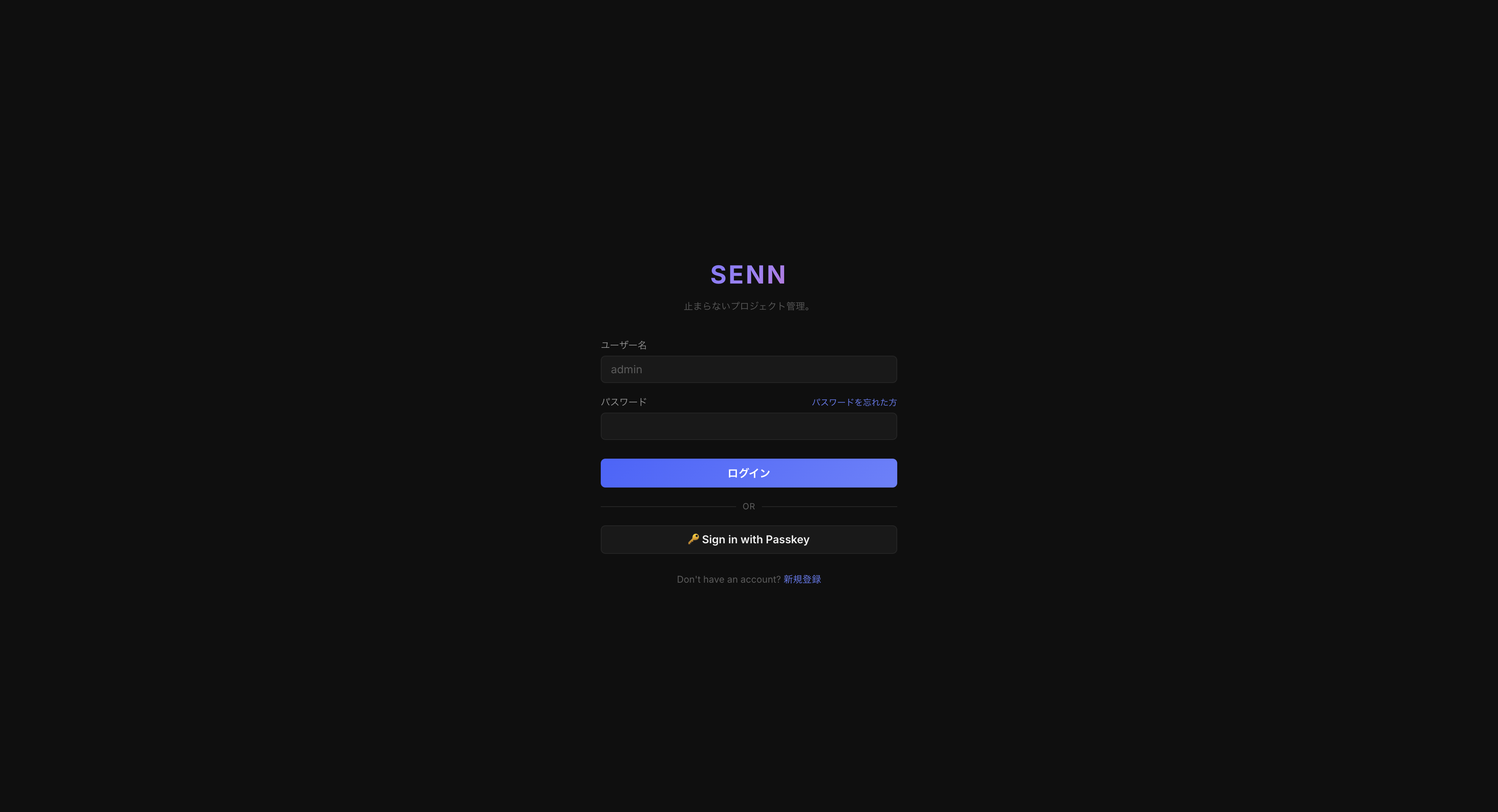
Login screen — click Sign up at the bottom On the registration screen, fill in these fields, then click Sign up:
- Username — at least 1 character; any letters including Japanese; must be unique
- Email — a valid address (e.g.
you@example.com) - Password — at least 8 characters
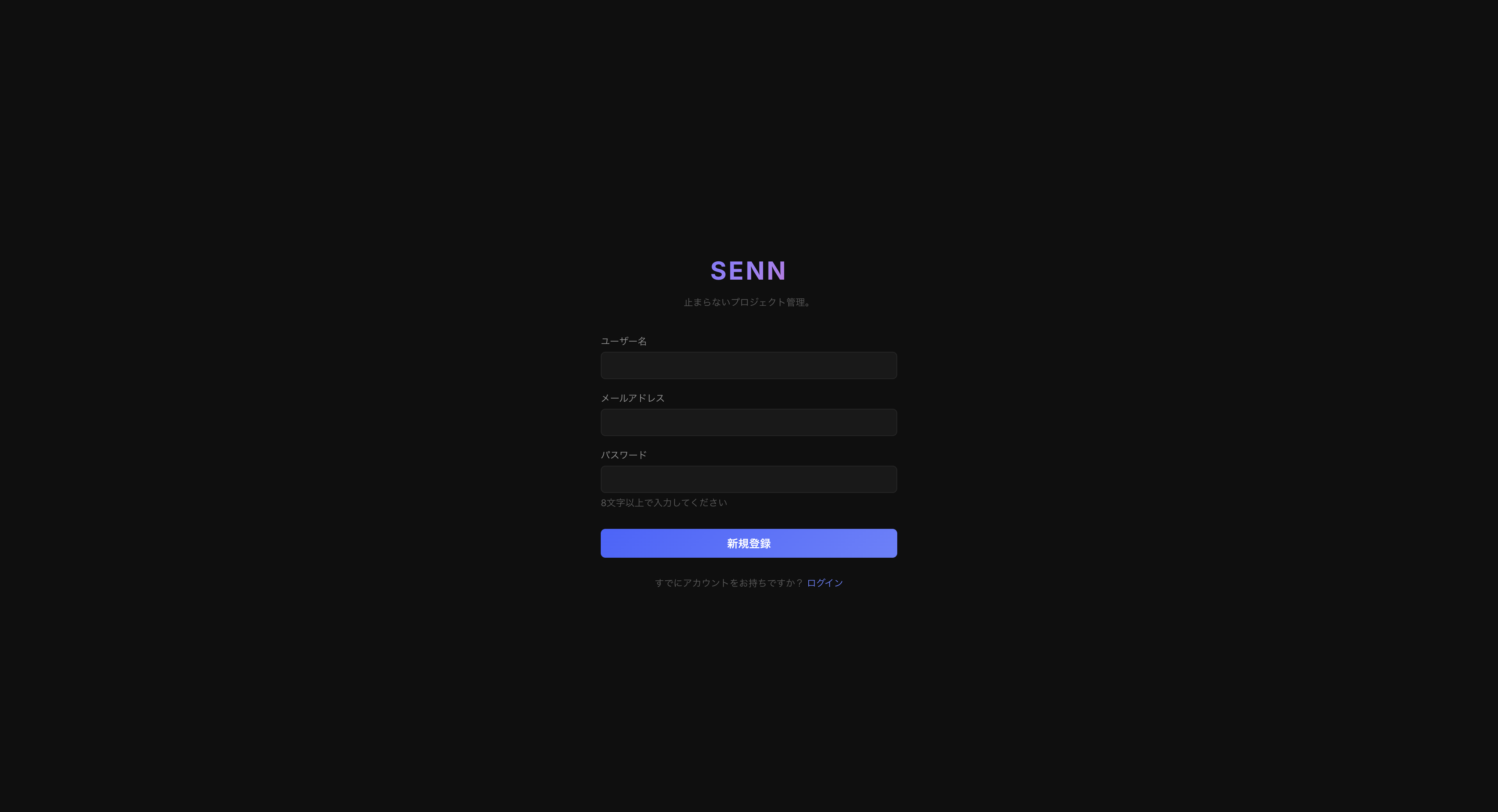
Registration — username (1+), email, password (8+ characters) When registration succeeds, you are signed in automatically and land on My tickets — no separate login needed.
Only the first person (who set up the server) can sign up freely. Everyone after that joins by invitation — see step 6.
-
4
Create a Team
You need a team before creating tickets. The post-login My tickets screen shows a “Get started with SENN” panel — you can create the team right from there.
Click the + next to Teams in the left sidebar (or click Create your first team — same result).
The Create team dialog opens.
Fill in the fields below and click Create.
- Team name — required; any name is fine
- Team prefix — optional. The start of ticket keys (e.g.
SMP→ SMP-000001). If blank, it is made from the letters and digits in the team name (TEAMif the name has none) - Icon, color, visibility (Public / Private), description, and notification webhook are optional (editable later)
After creation, the team appears under “Teams” in the sidebar.
-
5
Create your first ticket
On the screen right after creating the team, click Create a ticket.
The Team field already has your new team selected.
Type a Title and click Create Ticket.
- Title — required
- Description — optional
- Assignee, priority, due date, and other fields are optional (editable later)
Open Tickets in the sidebar to see the new ticket in the list. That completes the first end-to-end flow.
-
6
Invite teammates
From the second person on, accounts are created by invitation. Open the team's Settings → Members, enter the person's email under Invite, and click Send invitation. The person joins the team as a Full Member (choose Guest if they should only view this team).
- If email is not configured (the default), SENN shows a link instead of sending mail. Send that link to the person yourself — it works once and expires after 7 days.
- The person opens the link, chooses a username and password, and joins the team.
- To let people sign up on their own, set
SENN_INTERNAL_EMAIL_DOMAINS(requires email settings) orSENN_REGISTRATION_MODE=open(private networks only) in.env. See the README.
Detailed setup guide with screenshots →
Notes by OS
Install Docker Desktop and run the commands in Terminal.
Use Docker Engine with the Compose plugin. No desktop installer needed.
Use WSL2 with Docker Desktop integration and run the commands inside the WSL shell. No .dmg or native Windows installer.
Screenshots
Sign up
Team
Ticket list
For details (troubleshooting, port changes, backups), see docs/利用ガイド_OSS自己構築.md in the repository.
A Tool We Use Every Day
SENN is in production use at MacPlanning. Our development team uses it daily for project management, dependency tracking, and collaboration.
Tickets & Dependencies
Record and track dependencies between tickets.
Gantt Charts
Visualize project timelines and manage milestones.
Wiki
Write down your team's procedures and decisions, linked to tickets.
Why we built SENN
SENN started as a small tool for quality checks (QA) with new team members.
As collaboration needs grew, it became a project management tool with a clear design philosophy for tickets and projects, plus Japanese and English UI.
The current Rust-based, local-first version is what we use daily on internal projects—still improving week by week.
We reached this point in months through AI-driven development and two veteran SEs working side by side in production.
What SENN Offers
Three key features.
Local-First Data
Your data is stored on the server you run (Docker). The browser keeps a local copy, so screens don't wait on the server every time, and changes sync in the background.
Unified PM in One Place
Tickets, dependencies, Gantt charts, and wiki in one tool.
Keeps Working When the Connection Drops
Creating and updating tickets, projects, and wiki pages is saved in your browser first and sent to the server automatically when the connection comes back. Posting comments needs a connection, and SENN must already be open (it cannot be opened from scratch while offline).
What's new in v0.3.3 (Public Beta)
v0.3.3 was released on October 14, 2026. Bugs and missing features remain, and behavior may change between updates. Back up your data before updating.
⚠️ If you use v0.3.1 or earlier: please update
v0.3.2 fixed a safety problem in how Wiki pages are displayed. In v0.3.1 and earlier, opening a Wiki page written by someone else could cause unintended behavior in your browser. Please back up your data, then update. Details are in the security advisory.
v0.3.3: See whose account an AI acts as
The connect page and the personal key screen now say whose account an AI Agent acts as, and comments written by an AI Agent show who ran it.
v0.3.3: Easier to use
Hover over a ticket property to see what it means. The latest AI run moved into the “…” menu as “View AI run history”. The MCP guide has new tips on how to ask your AI.
v0.3.2: Safer Wiki and two-factor codes
Wiki pages show only an allowed set of content. Failed two-factor attempts are counted per user, and a code that was already used is rejected.
v0.3.0–v0.3.1: Work with AI
Press “Ask AI” on a ticket and Claude Code works on it in an isolated container on your own machine. The MCP server lets your own AI work with your SENN. The AI can only see and do what its user can.
Upgrade steps and the full list of changes are in the GitHub Release. Previous versions remain available as tags.
Who This Is For
SENN is for:
- Dev teams shipping complex products
- Teams that want to keep their data on their own servers
- Teams that would rather not add another SaaS
Not for:
- Teams happy with cloud-only SaaS workflows
- Non-technical project stakeholders
Try via OSS Self-host
Self-host with Docker today — the full setup guide is on this page. Pricing and support terms will be announced at public launch.
Ready to get started?
View Get Started GuideGet notified at launch
Join our waitlist to be notified the moment SENN is publicly available.
We'll notify you when SENN is available.